
Every trip, from quote to delivery, in one TMS.
Ovenfo Transport is a TMS (transport management system) that digitalises your operation: fleet, drivers and clients, quoting and dispatch of every service, and a tracking link your end customer opens without creating an account. It includes the Ovenfo AI Agent, which runs actions and handles events in the app, and connects to your AI agents (Claude, ChatGPT, Copilot…).
Example service
On the road
- Picked up
- On the road
- Delivered
TMS benefits at a glance
Quotes with your tariffs
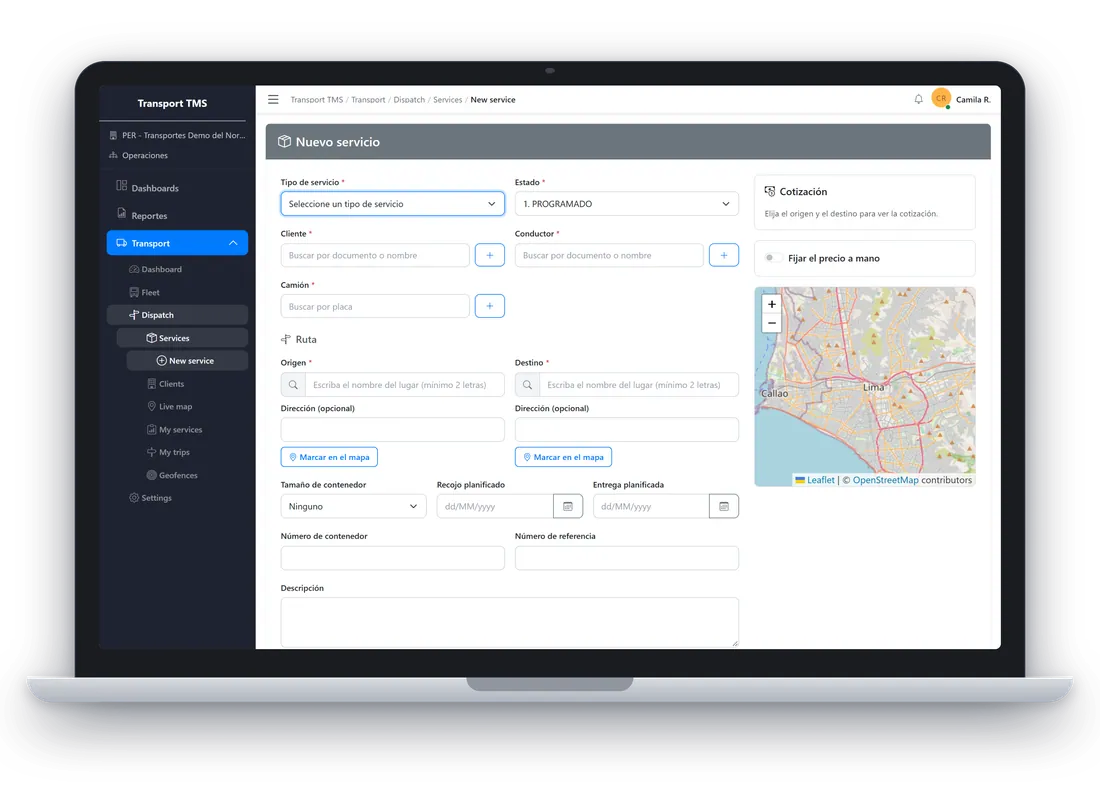
Quote faster: tariffs per service type, a simulator and an OSRM-computed route; the server recomputes the amount on save.
See Quote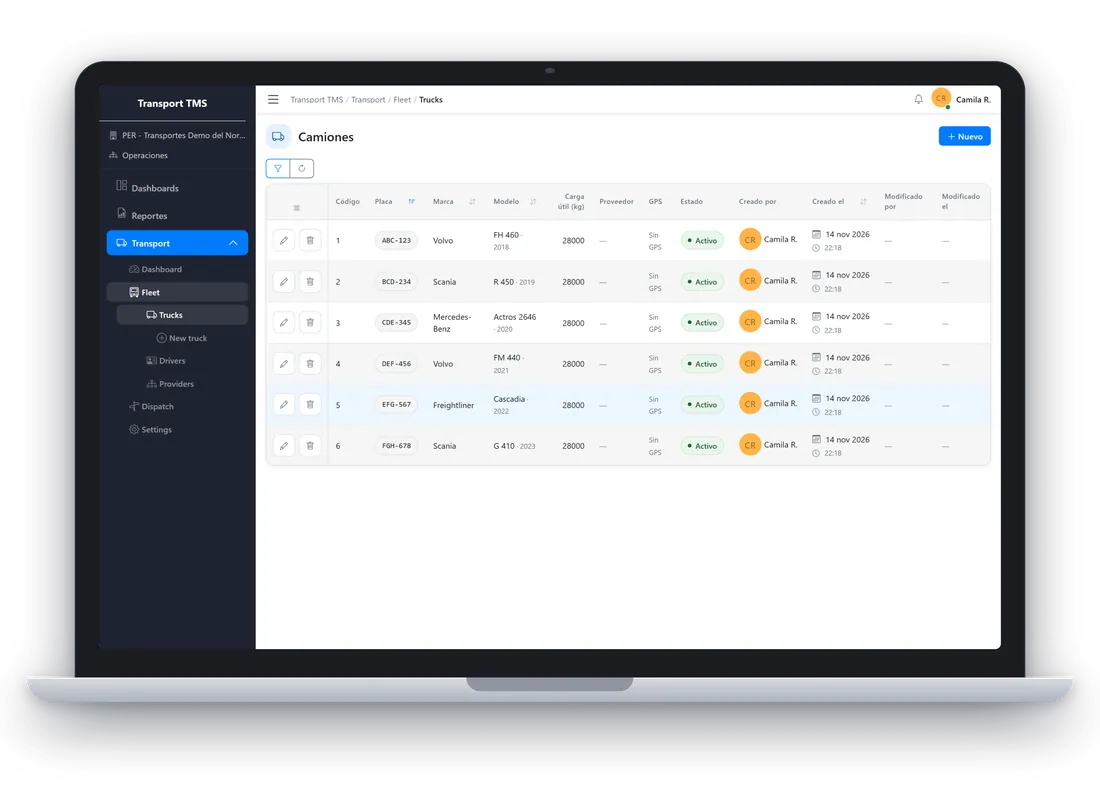
Fleet, drivers and providers
Your whole fleet in one place: trucks with an optional GPS link, drivers with licence and documents, and subcontracted providers.
See Dispatch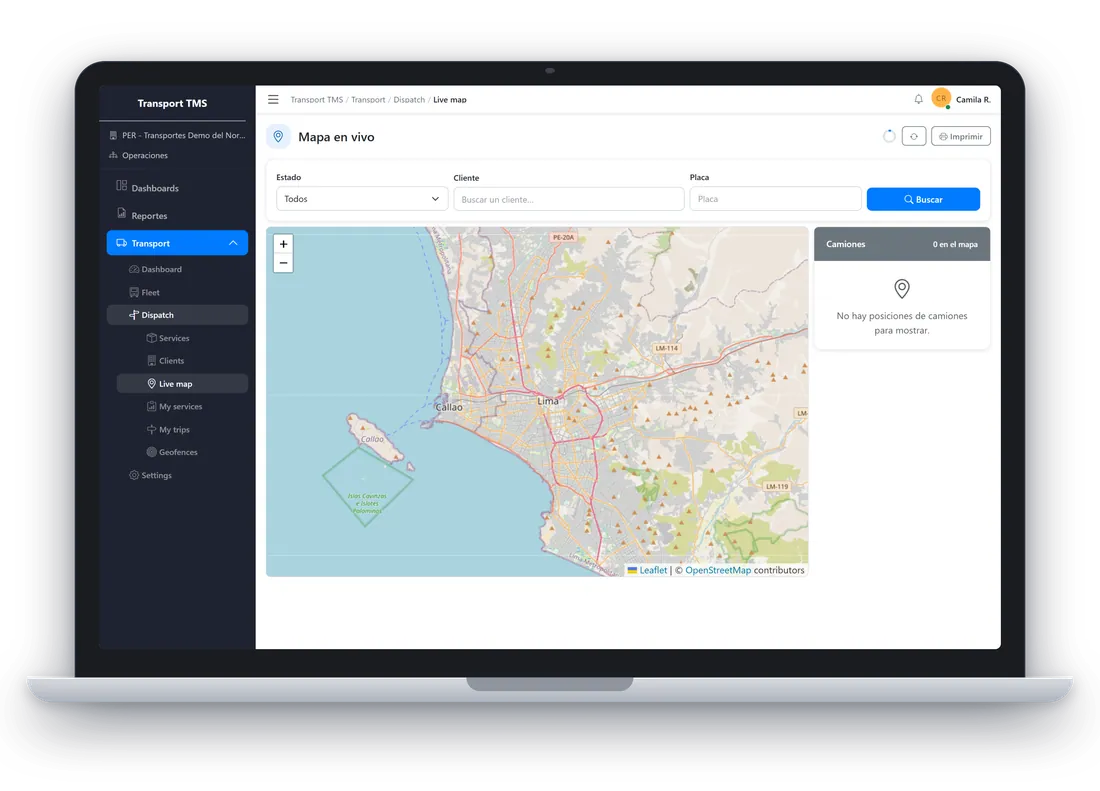
Live map and GPS
GPS integrations with sealed credentials and a live map for the dispatcher.
See TrackQuote with your own company tariffs
Set tariffs per service type and simulate the price before accepting the cargo. Route and distance are computed with OSRM using your company factors, and the server recomputes the amount on save.
- Tariff simulator inside Settings.
- The quote is frozen when the first status of the service is registered.
- Location catalogue for Peru and Mexico for origin and destination.
Quote example
- Origin
- Callao
- Destination
- Arequipa
- Route (OSRM)
- 1,010 km
- Tariff
- By route and service type
- Amount
- Recomputed on save
Example values.
Assign truck and driver, and move the service through your workflow
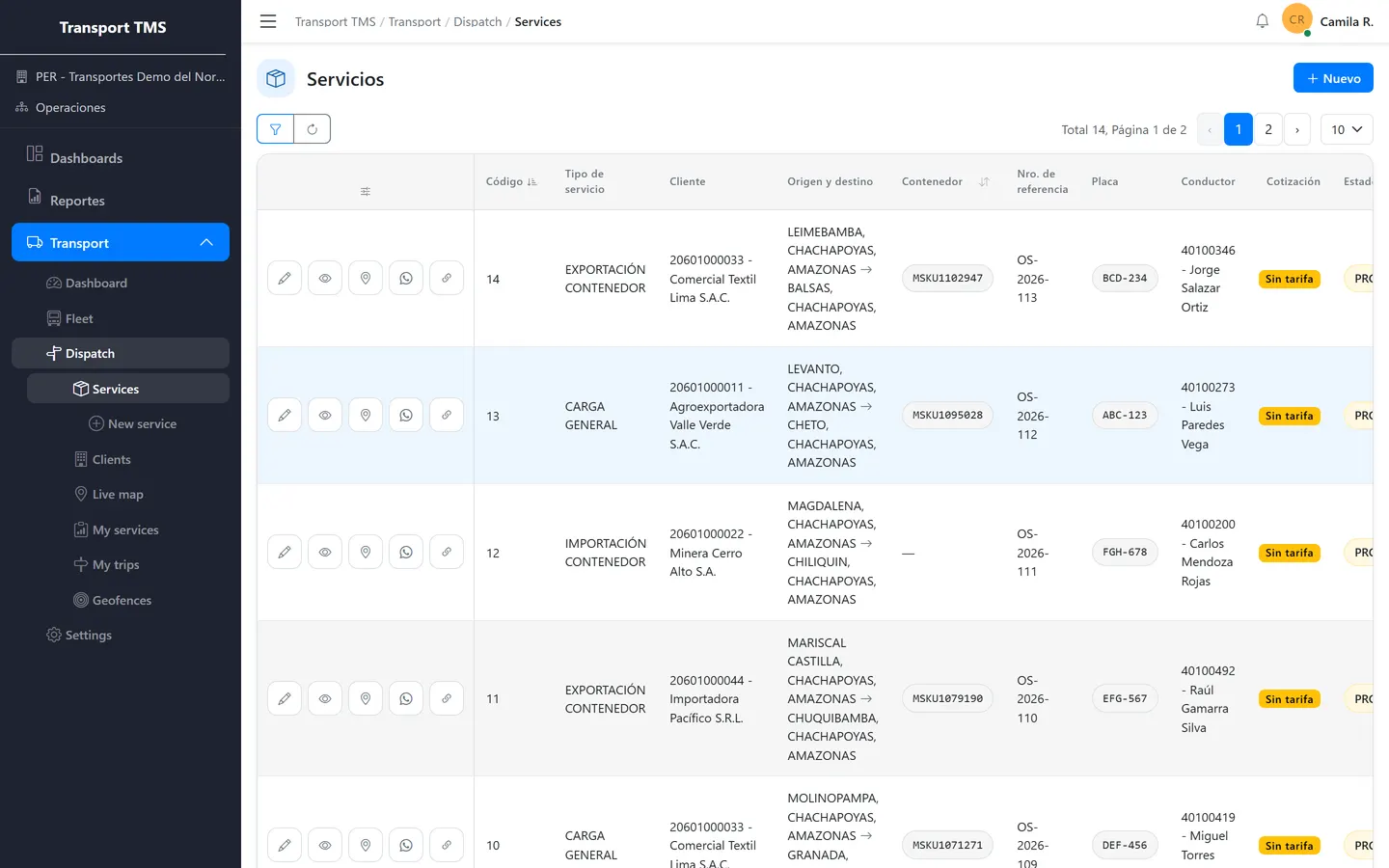
Register trucks (with an optional GPS link), drivers with licence and documents, and subcontracted providers. Each service moves through the statuses you define, with a comment, position and photos at every step.
- Ordered statuses, configurable per company.
- Photos cannot be removed after saving.
- Clients with a portal invitation and a link to share over WhatsApp.
Service statuses example
- Pending
- Loaded
- In transit
- Delivered
Example: each company defines its statuses, their order and which ones mean pickup and delivery.
Your customer sees where the cargo is, with no account
The public link shows your company brand, the current status, the plate, a masked driver name, the timeline, origin and destination with the route, and the truck position while the service is tracked. It refreshes by itself until the service ends.
- Client portal with its services, timeline, map, route and photos.
- The client never sees prices.
- Live map for the dispatcher, with GPS integrations whose credentials are sealed.
Geofences (circular zones per client) are registration only today: they raise no alerts.
My services (client portal) example
- Service A Callao to Arequipa On the road
- Service B Lima to Trujillo Delivered
- Service C Tacna to Lima Pending
No price column: the client does not see prices.
The driver confirms pickup and delivery from the phone
In the portal the driver sees open trips and history. On pickup or delivery they add a note, the device position and photos. If the browser denies location access the action still works, and pressing twice duplicates nothing.
- If your company defines a pickup status, delivery requires pickup first.
- The driver never sees prices, tariffs or other drivers' trips.
- Dashboard with services, fleet, top clients, on-time delivery and quoted revenue by route.
Confirm delivery example
- Note
- Optional
- Position
- Asked by the browser
Delivery photos
Example screen of the driver portal.
Inside the product
Real TMS captures with fictional data: services, map, fleet and service creation.
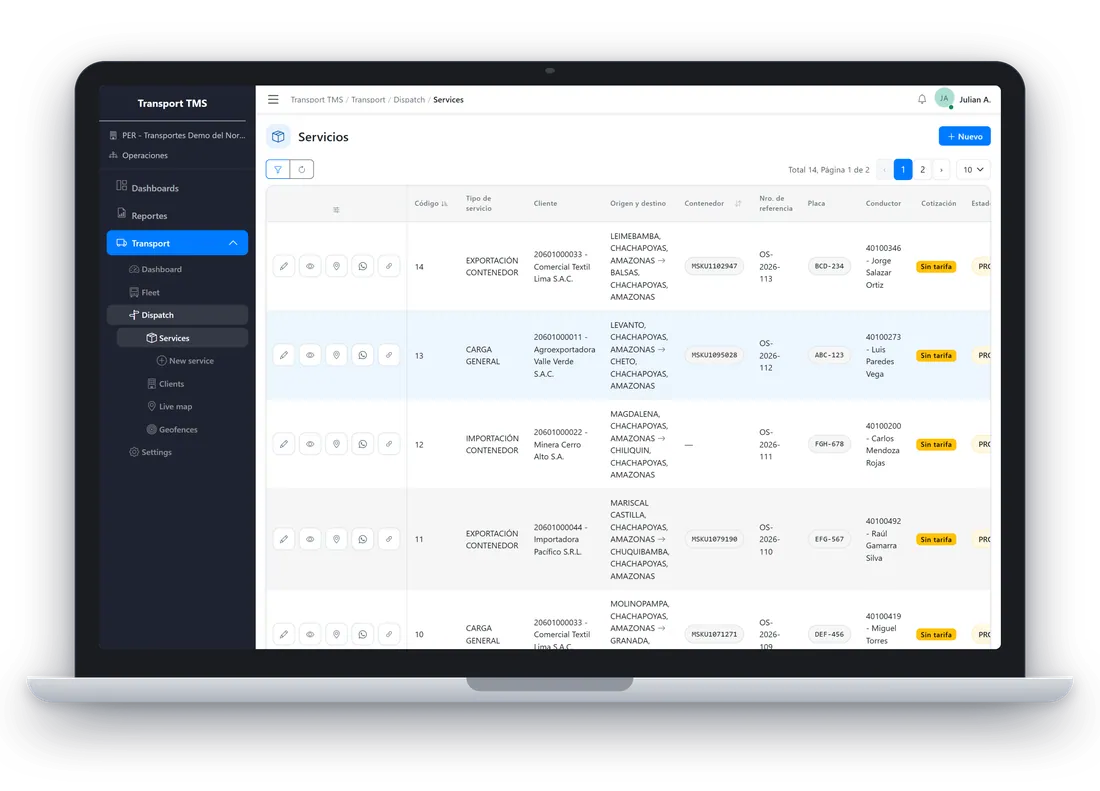
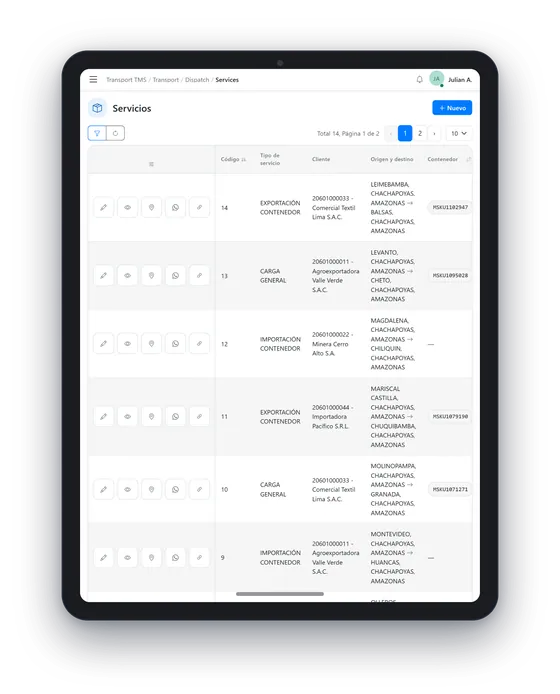
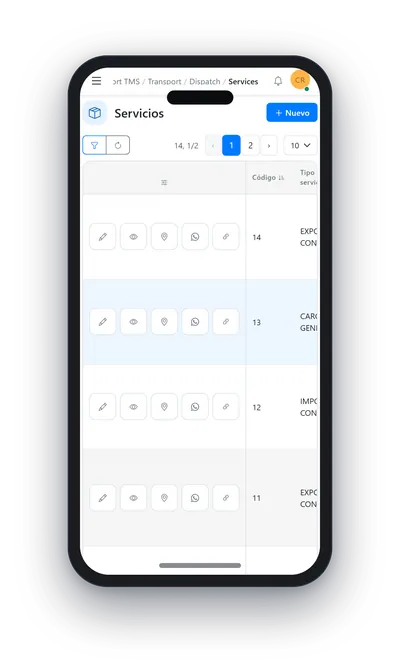
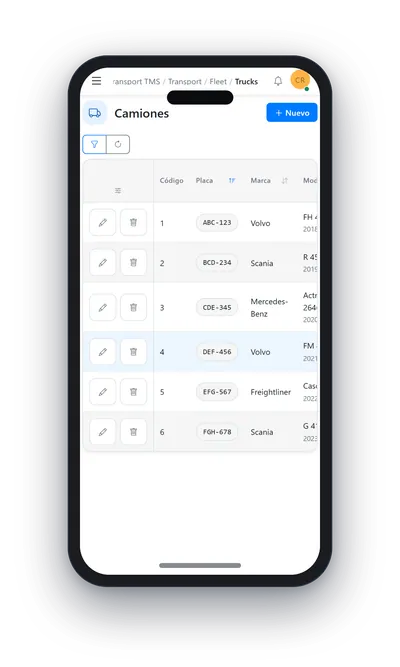
Demo data The interface is shown in Spanish.
Download brochure (PDF) · PDF, in Spanish, 0.9 MB
What your operation gains
Five features already in the TMS and the benefit of each.
Fleet and services
Trucks with an optional GPS link, drivers with licence and documents, subcontracted providers and statuses your way. Benefit: the whole operation in one place, with a live map and an on-time delivery dashboard.
Quoting and tariffs
Tariffs per service type, a simulator and an OSRM-computed route. Benefit: you quote faster and with the same criteria every time, and the server recomputes the amount on save.
Driver and client portals
The driver picks up and delivers from the phone with photos and position; the client sees its services with timeline, map and route. Benefit: fewer calls and evidence of every step. Neither sees prices.
Public tracking
A link with no account or password for your end customer. Benefit: transparency and fewer queries about where the cargo is.
Permissions and control
The administrator configures service types, statuses, tariffs and GPS integrations; the dispatcher reads tariffs and statuses without editing them and never sees credentials. Benefit: control over who does what.
Coming soon, on the roadmap
Not available yet.
- Fuel management. Control of fuel loading and consumption across your fleet.
- Messaging portal. A portal that automates answers and delivers trip content to your customers, in real time or when they ask, through messaging providers such as WhatsApp.
- Invoicing. Feeding the invoice service with delivered services. Today revenue is quoted, not invoiced.
Born from a real system
Transport was migrated from a legacy system with the Ovenfo migration process. That process documented the old system with evidence and checked the result against the new one.
- 143findings with evidence
- 197documented relations
- 56replay checks
Figures from the Ovenfo legacy migration pilot.
Frequently asked questions
Is Ovenfo Transport a TMS?
Yes. It is a transport management system: fleet, drivers, clients, quoting, dispatch by statuses, driver and client portals and public tracking. Fuel and messaging are on the roadmap.
Does my end customer need an account to see the cargo?
No. They receive a public tracking link that opens without signing in. It works while your company has public tracking enabled in its settings.
Do clients see my prices?
No. The client portal and the driver portal never show prices or tariffs.
Do geofences notify me when a truck enters or leaves?
Not yet. Today you register circular zones per client (centre and radius), but nothing monitors them, so they raise no alerts.
How is a quote calculated?
With your company tariffs and the route computed with OSRM, applying the factors you configure. The simulator lets you test before accepting the cargo, and the server recomputes the amount on save.
Can I connect the GPS of my trucks?
Yes, optionally: a truck can be linked to a GPS provider and the credentials are stored sealed. With it the dispatcher gets the live map and the public link shows the truck position.
What does the Ovenfo AI Agent do?
It is built into the app and runs actions and handles events for you. You can also connect Transport to your own AI agents (Claude, ChatGPT, Copilot…). The location catalogue covers Peru and Mexico.
What is on the roadmap?
Fuel management, a portal that answers and delivers trip content to your customers through messaging such as WhatsApp, and invoicing. None is available yet.
Try the TMS on your next route
Open the app and sign in with your Ovenfo account.
Write to us: social@ovenfo.com